Apple wants your photos to come to life, so much so that the company decided to create a Live Photos feature for the iPhone 6s and iPhone 6s Plus in iOS 9. This means that you can now set your photos to appear on your lock screen and watch them have something of an animated action whenever you touch the lock screen.
This is excellent for those who can access Live Photos within iOS, but there are some individuals with older devices who do not have this feature; if you’re in this camp, then you can still set your photos or screenshots to appear on your desktop as a background behind your apps.
First, to learn how to make wallpaper from your photos on iPhone and iPad, you need to have the photos you desire available on your camera roll or in your email. They must be accessible on the device in order to create a wallpaper from them.
How To Make Wallpaper From Your Photos On iPhone or iPad
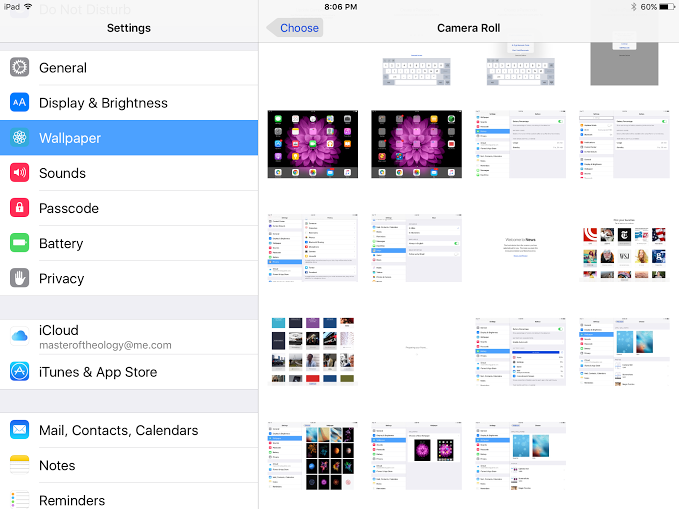
To learn how to make wallpaper from your photos on your iPhone or iPad, visit your iPhone or iPad settings. Scroll down to “wallpaper” on the left, then select the arrow to the right of “choose a new wallpaper” on the right. You’ll notice that the wallpaper beneath those words matches that of your current desktop setup. Now that you’re choosing a new wallpaper, you’ll see the same “Dynamic” and “Stills” wallpaper options. Look beneath it and you will see a section that is named “Photos.” Your camera roll and screenshots will appear there, alongside of how many photos and screenshots you have. Select “camera roll” to complete the steps on how to make a wallpaper from your photos on iPhone or iPad, or select “screenshots” to learn how to make a screenshot on iPhone or iPad.
The next step in learning how to make wallpaper from your photos on iPhone or iPad is to select the photo you want to appear on your desktop. At that point, you’ll see the photo zoom in with a gray strip beneath the photo with the options to 1) Set Lock Screen, 2) Set Home Screen, and 3) Set Both. You can choose to just set the photo for the lock screen, just the home screen, or both the lock screen and the home screen. You can always go back and change the decision if you’d like, so select the situation that you want for now. Once the decision is made, you can go back to the desktop and notice that your background wallpaper now matches the new one you selected.
Now that you know how to make wallpaper from your photos on iPhone or iPad, you can, literally, use any scene on your iDevice to create a fresh look on your desktop. Of course, wallpapers are not the same as themes, but you’ll find new life breathed into your device to switch wallpapers (including photos) every now and then.
Watching sport does not feel as self contained as it once did. It used to…
You're in the same meeting as your coworker. The deadline just got moved up by…
Imagine working alone on a late shift, driving between job sites, or checking a property…
Vor ein paar Jahren hat sich in der Welt der Inhaltserstellung etwas Grundlegendes geändert. Für ein...
Seit der Eröffnung des ersten Casinos im 17. Jahrhundert hat sich dieser Sektor...
Wenn Sie auch nur ein paar Stunden in Princess & Conquest verbracht haben, sind Sie wahrscheinlich schon über...