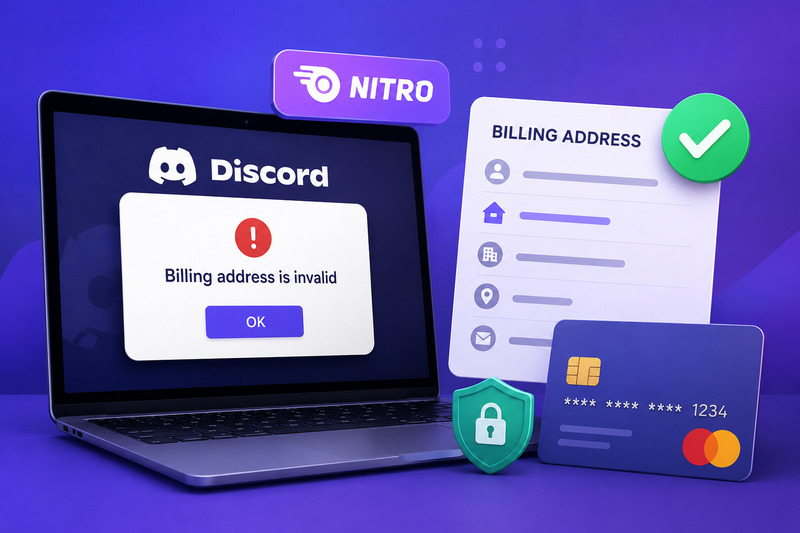

Trying to purchase or renew Discord Nitro only to receive a “Billing address is invalid” message can be frustrating, especially when the address appears correct.
In most cases, the error does not mean that Discord considers your home address invalid. It means the billing information entered in Discord does not exactly match the information your bank or card provider has on file.
The quickest solution is to review the saved payment method under User Settings > Billing, edit the billing address, and enter it exactly as it appears in your bank account or card statement. Discord specifically identifies an address mismatch with the card issuer as the cause of this error.
This guide explains how to correct the problem and what to do when updating the address does not work.
Why Does Discord Say the Billing Address Is Invalid?
Discord uses payment verification systems to confirm that the information submitted during a purchase matches the details associated with the payment method.
The error usually appears when one or more address fields do not match the card issuer’s records. Possible differences include:
- An incorrect or outdated postal code
- A missing apartment or unit number
- A recently changed home address
- A different spelling or abbreviation
- The wrong country or region
- Information copied from a shipping address instead of the card’s billing address
For example, your bank may have your address saved as “125 West Main Street, Apartment 4,” while you entered “125 W Main St.” Although both versions describe the same location, an automated address-verification system may treat them differently.
The message can also appear alongside a broader payment failure caused by incorrect card details, an expired card, insufficient funds, a credit-limit issue, or a card-level spending restriction.
Quick Fix: Update Your Billing Address in Discord
Start by editing the address attached to your saved payment method.
On the Discord Desktop App or Website
- Open Discord and sign in.
- Select the cogwheel icon beside your username to open User Settings.
- Select Billing.
- Locate the card or payment method you are trying to use.
- Select Edit beside the payment method.
- Correct the billing address.
- Save the changes.
- Attempt the Nitro purchase again.
Discord allows users to add, edit, set as default, or remove payment methods from the Billing section. Payment methods associated with recurring subscriptions can also be reviewed under User Settings > Subscriptions.
Before saving, compare every address field with the information shown on your bank’s website, mobile app, or latest card statement.
1. Enter the Address Exactly as Your Bank Stores It
Do not rely entirely on memory. Check the billing profile connected to your card and copy the information carefully.
Verify the following:
- Cardholder’s name
- Street number and street name
- Apartment, suite, or unit number
- City
- State, province, or administrative region
- Postal or ZIP code
- Country
Pay particular attention to the postal code and country, since mistakes in these fields commonly prevent payment verification.
When your mailing address and billing address are different, use the billing address registered with the card, not the address where you currently receive packages.
2. Confirm That Your Bank Has Your Current Address
The address displayed in your bank account may be outdated, particularly if you recently moved.
Contact your bank or open your banking profile to confirm which address is connected to the card. Updating your contact address in one section of a banking account does not always update the billing profile for every card, so confirm the details for the specific payment method being used.
After correcting the address with the bank, return to Discord and enter the same information.
3. Check the Card Details
A billing-address error can sometimes appear as part of a wider payment-validation problem. Review the complete payment method rather than changing only the street address.
Confirm that:
- The card number is correct.
- The expiration date has not passed.
- The security code is correct.
- The card is activated.
- The account has sufficient available funds or credit.
- The card has not reached a transaction or online spending limit.
Discord recommends checking these items when a payment appears as failed or invalid. It also advises contacting the bank or using another payment method when the problem continues.
4. Remove and Re-Add the Payment Method
When editing the existing entry does not solve the problem, adding the payment method again may correct information saved incorrectly.
To add a payment method:
- Open User Settings.
- Select Billing.
- Choose Add Payment Method.
- Select an available payment option.
- Enter the payment and billing information.
- Review every field before saving.
You may not be able to remove the only saved payment method while an active subscription is attached to it. Discord requires at least one payment method to remain on file for certain active subscriptions.
There is usually no need to cancel Nitro simply to correct a billing address. First, edit the payment method or add another one, and then select the appropriate payment method under User Settings > Subscriptions.
5. Change the Payment Method Used for Nitro
Adding a new card does not necessarily change the card used for an existing Nitro subscription.
To change the subscription’s payment method:
- Open User Settings.
- Select Subscriptions.
- Locate the Pay for it With section.
- Select the payment method you want Discord to use.
Discord distinguishes between a default payment method for new purchases and the payment method attached to a recurring subscription. Updating one does not automatically update the other.
6. Try Another Supported Payment Option
When the bank continues rejecting the transaction, another supported payment method may work.
Discord currently supports major credit and debit cards, PayPal, Apple Pay, Google Pay, and several region-specific payment services. Availability depends on the user’s country and platform.
Using an alternative payment method is preferable to repeatedly submitting the same rejected card. Multiple attempts can sometimes generate pending authorizations, even when the purchase does not complete.
7. Contact Your Bank or Card Provider
Your bank may be able to see a specific decline reason that Discord cannot access.
Ask the bank to confirm:
- The exact billing address attached to the card
- Whether online or recurring payments are enabled
- Whether the transaction was blocked
- Whether international or digital service purchases are restricted
- Whether a spending or fraud-prevention limit was triggered
Discord’s payment guidance states that persistent failed-payment problems may need to be resolved with the bank or by using another payment method.
What to Do If the Subscription Was Purchased on Mobile
Nitro subscriptions purchased through Apple’s App Store or the Google Play Store are managed through the platform where the purchase was made.
For a mobile-managed subscription, review the payment information associated with your Apple ID or Google Play account rather than changing only the payment details inside Discord.
Discord states that past-due mobile subscriptions must be resolved through the store managing the subscription. Google Play and Apple also apply their own billing and grace-period processes.
What If Discord Shows a Pending Charge?
A pending charge does not necessarily mean that the Nitro purchase was successful.
Discord explains that a pending transaction may appear when the payment requires additional verification from the bank or card provider. An unresolved pending Discord transaction generally changes to “Failed” within three days. A corresponding hold on the bank statement may take approximately five to ten business days to disappear.
Avoid repeatedly attempting the same purchase while several charges are pending. Contact the bank when verification is required or when a hold remains longer than expected.
Discord may also place a temporary authorization hold on a payment method to confirm that it works. Discord reverses this hold, although the bank may need several business days to remove it from the account.
Should You Reinstall or Update Discord?
Updating Discord is generally good maintenance, but reinstalling the application is not a primary solution for a billing-address mismatch.
Discord’s official guidance treats this error as a payment information problem: the address entered for the card does not match the address stored by the bank. Correcting the billing profile, checking the card, or contacting the payment provider should therefore take priority.
Using Discord in a desktop browser may help when the application interface is not loading correctly, but it will not resolve an address mismatch stored by the bank.
When to Contact Discord Support
Contact Discord Billing Support when:
- A saved payment method remains marked as invalid after its details are corrected.
- You cannot edit or manage the payment method.
- The Billing page displays an account-specific error.
- A pending transaction remains unresolved beyond the expected period.
- The payment appears successful, but Nitro was not activated.
Discord directs users experiencing a persistent “invalid” error on a listed payment method to its billing support channel. However, when the bank declines the transaction because of card details, funds, limits, or address verification, the bank may be the only organization able to resolve it.
Never send a full card number, security code, banking password, or account login credentials in a support request.
Frequently Asked Questions
The address may be physically correct, but formatted differently from the address stored by the card issuer. Check the exact spelling, apartment number, postal code, country, and abbreviations in your banking profile.
You must use the billing address associated with the selected payment method. A shipping address, previous address, or unrelated address may fail verification.
The important information is the payment and billing data associated with the card. Enter the cardholder information accurately and do not use another person’s card without authorization.
Some prepaid cards have limited billing-address support or restrictions on recurring subscriptions and authorization holds. Confirm that the card supports online recurring purchases and that a billing address has been registered with the card provider.
Failed attempts may create pending authorizations or temporary holds. These are not always completed charges and are generally canceled or reversed, although the bank may take several business days to remove them.
Discord Support may investigate an invalid payment-method error, but it cannot normally override a bank decline, correct the bank’s billing records, or remove a card-level spending restriction. Contact the card issuer when the rejection originates from the bank.
The Bottom Line
The “Discord Nitro billing address is invalid” error is most commonly caused by a mismatch between the address entered in Discord and the billing address stored by the card issuer.
Begin by opening User Settings > Billing, editing the payment method, and entering the address exactly as your bank records it. Then check the card number, expiration date, available balance, spending restrictions, and subscription payment selection.
When the information is correct, but the transaction still fails, contact the bank or try another supported payment method. Discord Billing Support should be used for account-specific errors or payment methods that remain marked as invalid after their details have been corrected.